
Скачать Inventory Bar Code Labels – штрихкоды, управление запасами, бизнес‑инструменты, печать этикеток, генератор штрихкодов, отслеживание продукции, программное обеспечение для инвентаризации, мобильная маркировка, создание штрихкодов, изготовитель этикеток
Обзор
Inventory Bar Code Labels является мобильным приложением, разработанным для поддержки бизнес‑пользователей в создании и печати штрихкодов для отслеживания запасов и управления продуктами. Приложение служит практическим инструментом для малых и средних предприятий, которым нужны эффективные решения для маркировки «на ходу». Позволяя пользователям генерировать настраиваемые штрихкоды непосредственно со смартфонов или планшетов, приложение упрощает процесс маркировки запасов, продуктов и активов.
Его основная цель – уменьшить ошибки ручного ввода данных и повысить эффективность операций в рабочих процессах инвентаризации. Пользователи могут разрабатывать штрихкоды с конкретными параметрами форматирования, такими как расположение колонок, интервалы и цвет, чтобы соответствовать корпоративным стандартам. Это особенно полезно в розничной торговле, складских и логистических средах, где согласованная маркировка имеет решающее значение.
Разработано Arnold A. Howe, приложение доступно с 2013 года, что свидетельствует о длительном присутствии в сфере продуктивных решений. Хотя разработчик не предоставил дополнительных технических деталей о философии разработки или базе пользователей, продолжающаяся доступность приложения указывает на надёжность и стабильность функций со временем. Оно особенно подходит пользователям, которым требуется лёгкое, бесплатное решение для мобильного создания и печати штрихкодов.
В более широком экосистеме приложений Inventory Bar Code Labels занимает нишу для пользователей, ищущих простой, автономный инструмент без сложности полноценных корпоративных систем инвентаризации. Его фокус на основной функциональности — генерации и печати штрихкодов — делает его специализированной утилитой для конкретных бизнес‑потребностей.
Ключевые функции и возможности
- User-Friendly Interface: The app features an intuitive layout that simplifies the barcode creation process. Users can quickly access tools and settings without prior training, reducing setup time and improving workflow efficiency.
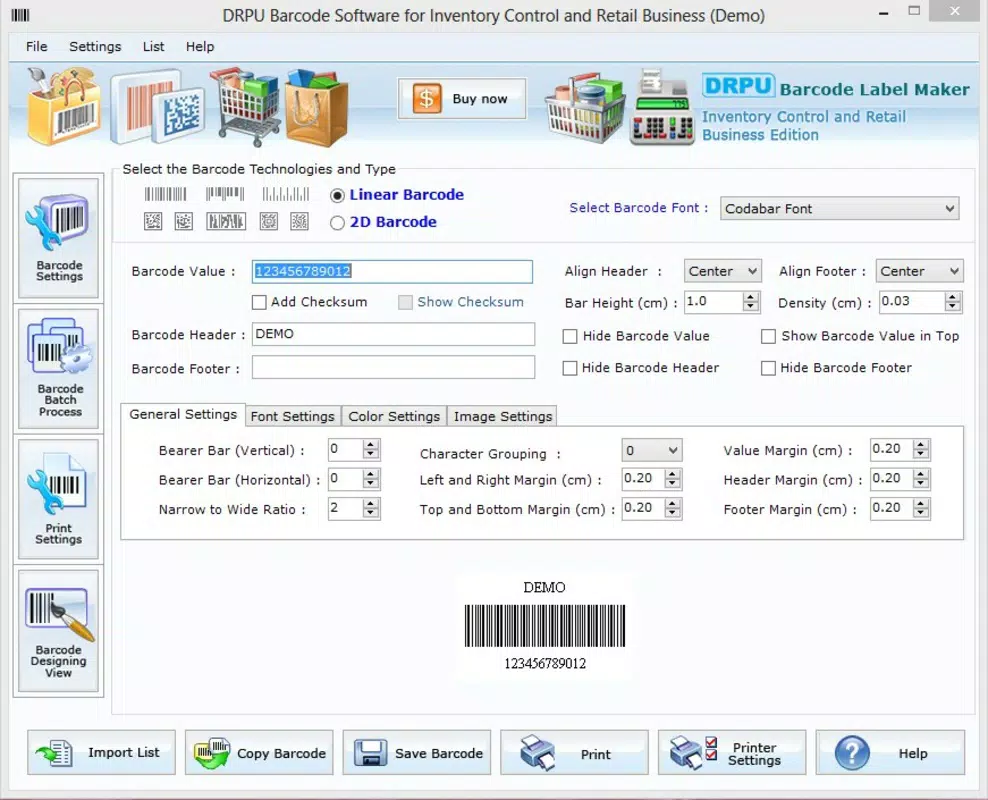
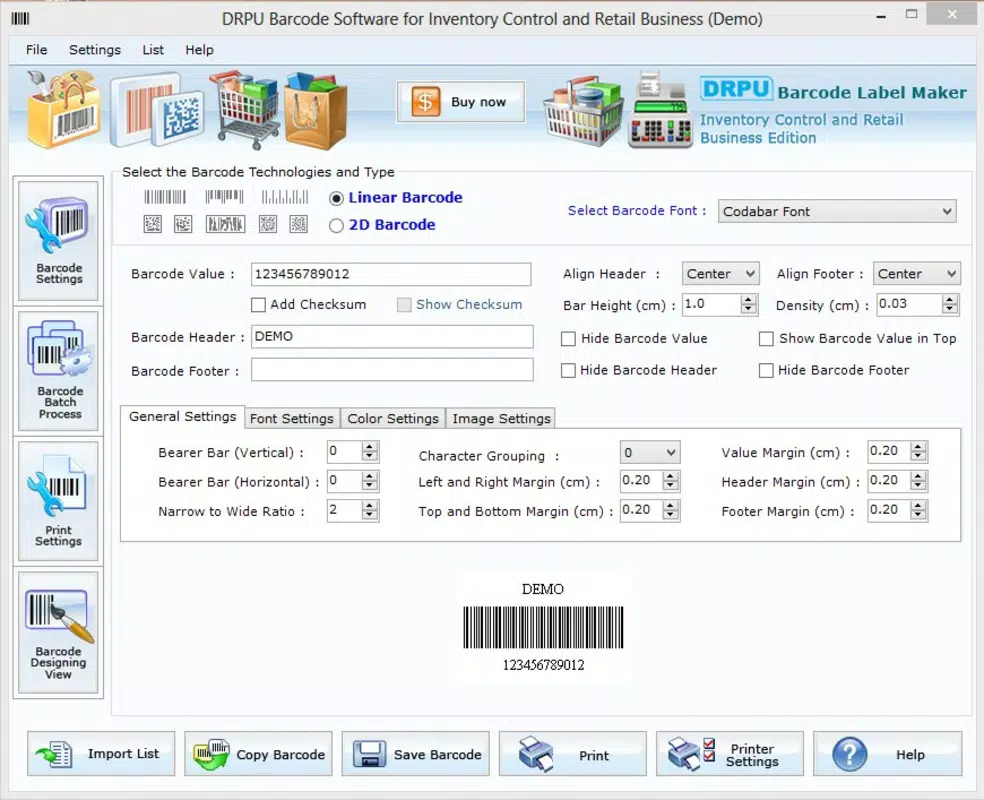
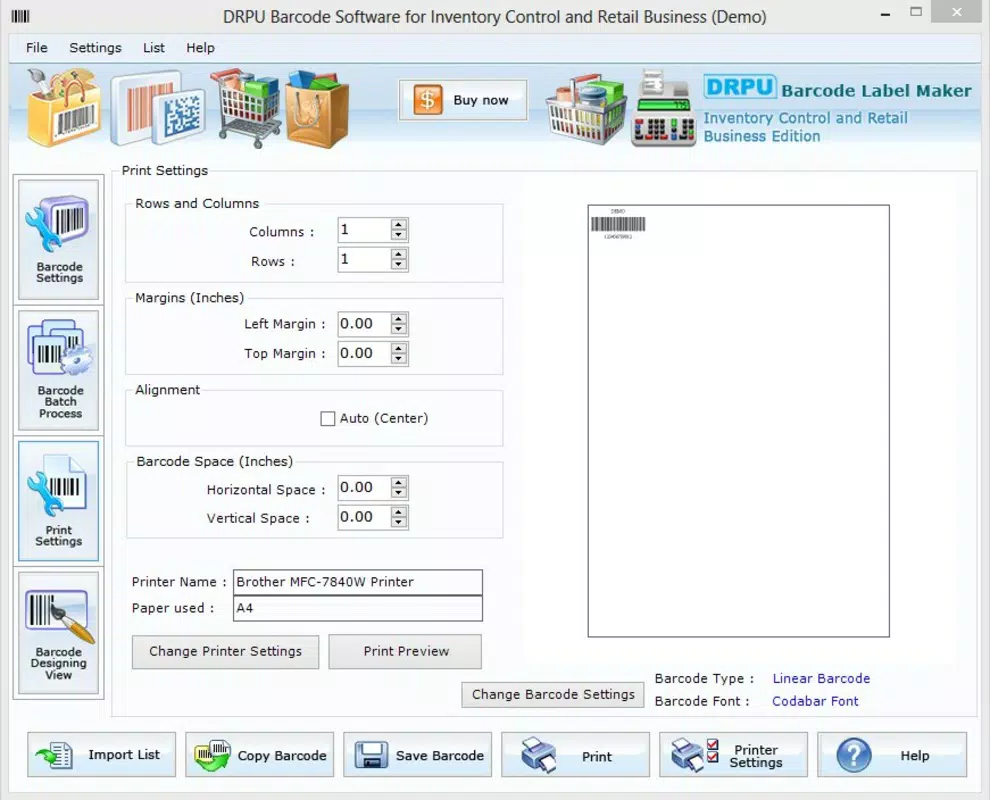
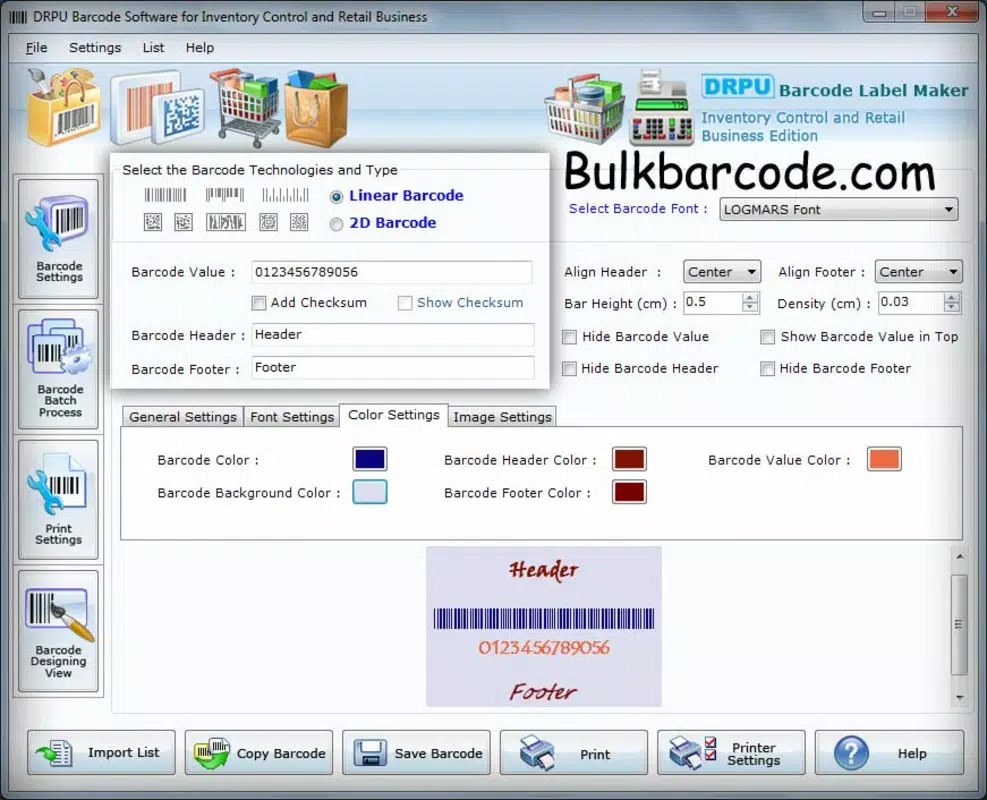
- Customizable Barcode Options: Users can adjust the number of columns, spacing between labels, and choose colors for barcode bars and product names. This flexibility supports branding and visual organization across different inventory categories.
- Multiple Save Formats: Designed barcodes can be exported in JPEG, TIFF, BMP, PNG, and WMF formats. This ensures compatibility with various printing services, document management systems, and internal workflows.
- Direct Printing Capabilities: The app allows users to print barcodes directly from the device, eliminating the need to transfer files to external software. This integration supports faster turnaround in labeling operations.
- Complete Barcode Creation Process: From initial design to final output, the app guides users through each stage of label creation. This end-to-end support is ideal for users who require full control over their labeling process without relying on third-party tools.
For example, a retail manager can use the app to generate a batch of product labels with custom colors and spacing, save them in PNG format for digital storage, and print them immediately using a compatible mobile printer. Similarly, a warehouse supervisor could create a set of asset tags with specific column layouts for shelf organization, ensuring consistency across multiple locations.
Интерфейс, UX и производительность
The app’s user interface is designed with simplicity in mind, featuring a clean layout that prioritizes accessibility. Navigation is straightforward, with essential tools and settings placed within easy reach. The visual style is minimalistic, focusing on functionality rather than decorative elements, which contributes to faster interaction and reduced cognitive load.
Users can expect a smooth experience when creating and adjusting barcode layouts. The app responds promptly to input changes, such as modifying column counts or adjusting spacing, indicating stable performance under normal usage conditions. Although the developer did not list formal performance metrics, the app’s lightweight size of 1.2 MB suggests optimized resource usage, making it suitable for older or entry-level Android devices.
Responsiveness across different screen sizes and resolutions appears to be well-managed, though specific compatibility details were not disclosed. Stability is implied by the app’s long-term availability and consistent functionality. Users can rely on the app to maintain its core operations without unexpected crashes or data loss during typical use.
Performance on high-end devices may be even smoother, but the app’s design suggests it is built to function reliably across a wide range of hardware configurations.
Совместимость платформы и технические требования
Inventory Bar Code Labels is available on the Android platform. The current software version is 1.1, and the app has a file size of 1.2 MB, making it a lightweight download ideal for users with limited storage space.
While the app’s compatibility with specific Android OS versions was not listed, its long-standing presence suggests it supports a broad range of Android releases. However, the developer did not specify minimum OS requirements, so users should verify compatibility with their device’s operating system before installation.
As a free application, it does not require a subscription or in-app purchases. The app is designed to function primarily offline, allowing users to create and save barcodes without an internet connection. This enhances usability in environments with limited connectivity, such as warehouses or field operations.
Плюсы и минусы
Плюсы
- Lightweight and fast-loading due to small file size (1.2 MB).
- Free to download and use with no hidden costs.
- Direct printing support simplifies the labeling workflow.
- Multiple export formats ensure broad compatibility.
- Simple interface reduces the learning curve for new users.
Минусы
- Specific OS version requirements were not disclosed.
- No information on support for external printer models or connectivity types.
- Limited feature set compared to full-featured inventory software.
- Developer did not provide update frequency or future roadmap.
- Compatibility with newer Android versions is uncertain without official confirmation.
FAQ
Is Inventory Bar Code Labels safe to download and install?
The app is available through official Android channels and has been verified as free from known malware. As with any third-party application, users should ensure they download from trusted sources.
Can I use this app on iOS devices?
Currently, the app is only available for Android. No iOS version has been released or announced.
Does the app require an internet connection?
While the app can function offline, some features may require connectivity for updates or cloud-based printing options. However, core functionality such as barcode creation and local printing does not depend on internet access.
How often is the app updated?
The developer did not specify the update frequency. Users should monitor the app store for new versions.
Can I print barcodes using a mobile printer?
Yes, the app supports direct printing, which may include mobile printers. However, compatibility with specific models was not detailed by the developer.
Final Thoughts
Inventory Bar Code Labels offers a focused, no-frills solution for businesses needing to generate and print barcodes on mobile devices. Its lightweight design, free pricing, and straightforward interface make it a practical choice for users who prioritize efficiency and simplicity. While it lacks advanced features found in enterprise-grade systems, it excels in its core purpose: enabling quick, customizable barcode creation and printing.
It is particularly valuable for small business owners, warehouse staff, and retail professionals who require a reliable tool for daily labeling tasks. The app’s ability to save in multiple formats and print directly enhances its utility in real-world workflows.
For users seeking a secure, offline-capable, and cost-effective barcode labeling solution, Inventory Bar Code Labels remains a solid option. Its long-standing presence in the Android ecosystem speaks to its durability and consistent performance.
Download Inventory Bar Code Labels now


